3D Printing Information
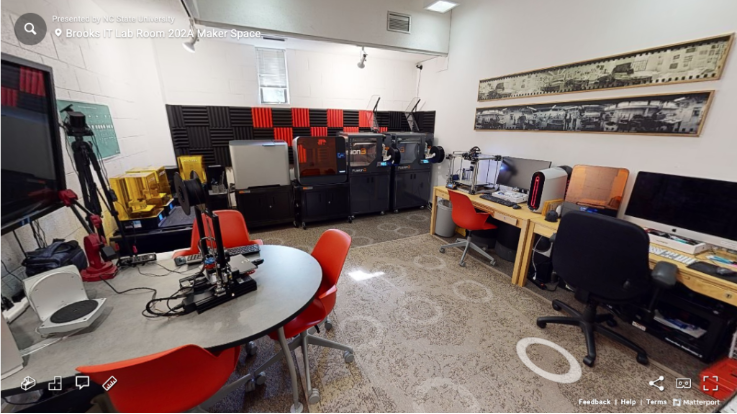
230 Leazar Hall Maker Space
The Bayley Information Technology Laboratory provides multiple 3D printers for making models, prototypes and physical artifacts. Users must plan ahead to use these printers, as the time required to process files can take hours or days. File(s) must be submitted online with the appropriate staff member or with a lab attendant in the main Checkout Window in the Brooks 203 IT Lab during its normal business hours. Contact one of the Full Time staff members for consultation/assistance.
Direct access to the 3D printers is not available to users. Please plan ahead. You may be able to print directly to the MakerBot Sketch 3D printers in the hybrid computer clusters or access the Ender 3 V2 Pro 3D printers in Lampe Digital Fabrication Studio.
Fill out the Request 3D Printing Service Form to have your file(s) processed for 3D printing in the lab.
Please review our Filament Guideline for 3D Printing.
General 3D Model and Printer Notes
College of Design 3D printers are only available for College of Design students, faculty, and staff. Students must be a current Design major, minor, or currently registered for a Design course.
Pricing may change during the semester, in some instances the Department or Design Discipline may purchase 3D Printing consumable resources for their students – please ask. In some instances, there may be remnant rolls of filament that can be used to print for free.
All purchases are made directly through Wolf Print Papercut — please be sure to manually transfer funds directly from AllCampus to WolfPrint Papercut as needed.
- Price for Formlabs resin printing:
- $0.30/mL (White, Draft, Clear, Flexible)
- Price for third-party brand resin printing:
- $0.15/mL (White, Grey, Draft)
- Price for PLA/PETG filament:
- $0.30/g (Primarily: Black, White, Grey)
- Price for P430 ABSplus (Ivory) Mojo printing:
- Materials fee:$5.00/cubic inch
- Required build plate fee: $4.00 each
An accurate volume, build cost, and build time estimate can only be provided once the model file is processed
– Please note we no longer print with bulk ABS filament.
- Payment will be made using WolfPrint print credit.
- You must manually move funds from AllCampus to WolfPrint
- Pre-payment is necessary before initiating build.
Plan at least a few days, if not a week, in advance to take into account the build time, post-processing clean up, assembly, painting and possible delays.
- STL files can only be used for 3D printers
(Note: STL files do not contain color or image texture maps). - Pre-scale models so that wall thicknesses can be adjusted independent of overall scale – avoid 2D planars that have no dimensions.
- Be sure to check the units (ideally mm) used during STL export and approximate finished build size (scaled) in XYZ.
Available 3D Printers
Formlabs Form 2
Builds Size:
140 mm × 140 mm × 170 mm
5.7 in × 5.7 in × 6.9 in
Formlabs Form 3
Build Size:
140 mm × 140 mm × 180 mm
5.7 in × 5.7 in × 7.3 in
Formlabs Form 3L/4L
Build Size:
330 mm × 200 mm × 300 mm
13.2 in × 7.9 in × 11.8 in
Ender 3 V2/Pro
Build Size:
220 mm × 220 mm × 300 mm
11.5 in x 11.5 in x 11.5 in
Bambu Labs X1E
Build Size:
256mm x 256mm x 260mm
10 in × 10 in × 12 in
Bambu Labs H2D
Build Size:
325 mm x 330 mm x 325 mm
12.75 in x 12.85 in x 12.75 in
Elegoo OrangeStorm Giga
Build Size:
800 mm x 800 mm x 1000 mm
31.25 in x 31.25 in x 39 in
Stratasys Mojo
Build Size:
125 mm x 125 mm x 125 mm
5 in x 5 in x 5 in
If you have questions, please contact the College of Design IT staff in Brooks 202-204 for help. If you have a laptop you need help with, bring it with you. You can also send an email to [email protected] or use this form to contact the College Information Technology staff with specific information about your problem.
- Categories: